
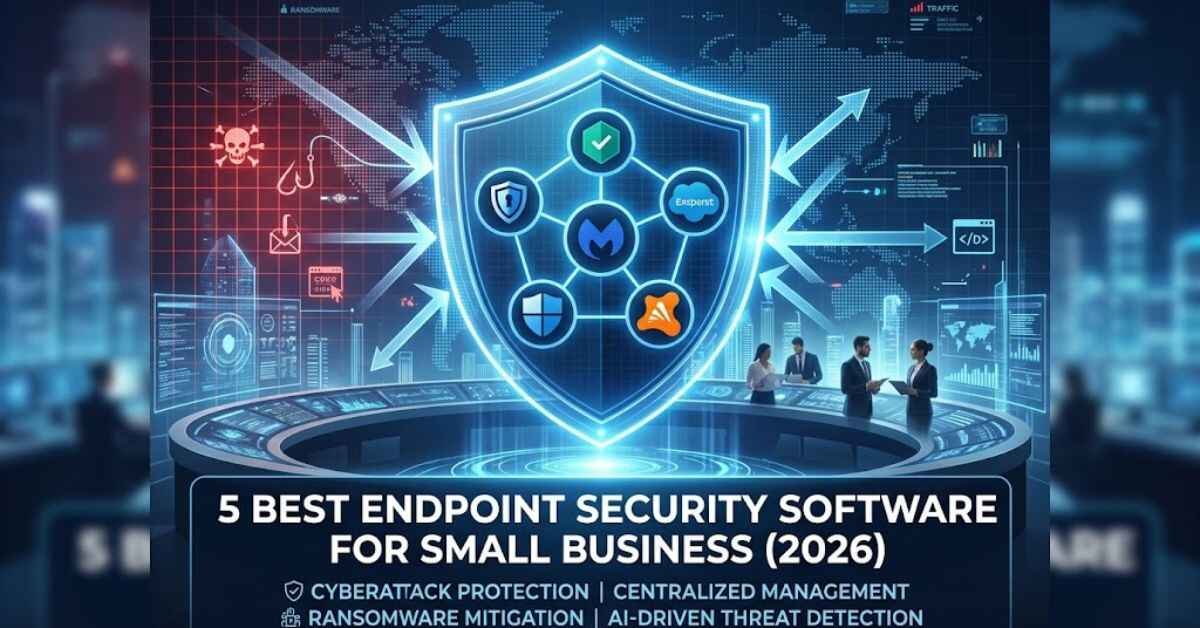
Small businesses are currently the primary target for cyberattacks. According to recent cybersecurity reports, over 43% of cyberattacks target small and medium-sized enterprises (SMEs). Unlike enterprise corporations, small businesses often lack dedicated IT security teams, making their devices—laptops, desktops, servers, and mobile devices—vulnerable entry points for hackers.
This is where Endpoint Security Software becomes essential.
Unlike traditional antivirus programs that simply scan for known viruses, modern endpoint security utilizes Artificial Intelligence (AI), behavioral analysis, and real-time cloud threat intelligence to block ransomware, phishing, and zero-day threats.
In this guide, we break down the best endpoint security software for small businesses in 2026 to help you secure your network without breaking your budget.
Why Small Businesses Need Endpoint Security Over Standard Antivirus
Before diving into the top picks, it is crucial to understand the distinction between standard antivirus and business-grade endpoint protection:
- Centralized Management: Cloud-based consoles allow admins to monitor, update, and secure all company devices from a single dashboard.
- Ransomware Rollback: Advanced endpoint tools can reverse unauthorized file encryption caused by ransomware.
- Device Control: Prevents unauthorized USB drives or unverified software from being executed on business devices.
- AI-Driven Threat Detection: Detects suspicious behavior in real-time rather than relying solely on database signatures.
Top 5 Endpoint Security Solutions for Small Businesses
1. Bitdefender GravityZone Business Security
Best Overall for SMEs & Easy Management
Bitdefender GravityZone is widely recognized for offering top-tier protection with minimal impact on system performance. It provides a simple cloud management console that makes deployment effortless even for non-technical teams.
- Key Features: Machine learning threat prevention, anti-ransomware mitigation, web protection, and automated patch management.
- Pros: Highly accurate threat detection, lightweight footprint on system resources.
- Cons: Advanced features require higher-tier plans.
- Best For: Growing businesses needing robust, set-and-forget protection.
2. Kaspersky Endpoint Security Cloud
Best for Flexible Remote Worker Protection
Kaspersky Cloud Endpoint Protection is designed specifically for small businesses operating in remote or hybrid environments. Its interface allows IT managers to enforce security policies on off-network laptops and mobile devices effortlessly.
- Key Features: Vulnerability scanning, cloud discovery, mobile device management (MDM), and rootkit blocking.
- Pros: Intuitive web console, strong firewall, excellent mobile protection.
- Cons: Management interface can occasionally feel feature-dense for complete beginners.
- Best For: Businesses with a remote or distributed workforce.
3. Malwarebytes Teams / Endpoint Protection
Best for Fast Ransomware Remediation
Malwarebytes is famous for its aggressive malware removal engine. For small businesses that want light, fast, and highly targeted malware and ransomware defense, Malwarebytes Endpoint Protection delivers solid performance without clutter.
- Key Features: Linking-engine technology, zero-day threat defense, automated remediation, brute-force attack protection.
- Pros: Extremely fast scanning engine, superb malware cleanup capabilities.
- Cons: Lacks some advanced network control features found in competitors.
- Best For: Small teams looking for straightforward, reliable malware defense.
4. Defender for Business (Microsoft 365)
Best for Companies Already Using Microsoft 365
If your business relies on Microsoft 365 Business Premium, Microsoft Defender for Business offers enterprise-grade security tailored for small organizations (up to 300 users).
- Key Features: Endpoint detection and response (EDR), threat and vulnerability management, automated investigation and remediation.
- Pros: Seamless integration with Windows OS and Microsoft cloud services; cost-effective if already in the Microsoft ecosystem.
- Cons: Setup can be complex without Microsoft admin experience.
- Best For: Businesses heavily integrated into the Microsoft ecosystem.
5. Avast Business Antivirus Pro
Best Budget-Friendly Option
Avast Business provides essential security features at a competitive price point. It balances strong file shield protection with web protection and server security, making it ideal for budget-conscious companies.
- Key Features: Data shield, shredder tool, SharePoint/Exchange server security, centralized cloud management.
- Pros: Affordable pricing tiers, straightforward setup.
- Cons: Higher resource usage during full system scans.
- Best For: Startups and micro-businesses operating on a strict budget.
Endpoint Security Comparison Table
| Feature / Software | Bitdefender GravityZone | Kaspersky Cloud | Malwarebytes Endpoint | Microsoft Defender | Avast Business Pro |
| Best For | Overall Security | Remote Teams | Fast Cleanup | Microsoft Users | Budget Option |
| Deployment | Cloud / On-Premise | Cloud | Cloud | Cloud | Cloud |
| Ransomware Rollback | Yes | Yes | Yes | Yes | Basic |
| Central Dashboard | Yes | Yes | Yes | Yes | Yes |
How to Choose the Right Endpoint Security for Your Business
When selecting a solution, evaluate the following factors:
- Number of Devices: Calculate total endpoints, including servers, employee laptops, and smartphones.
- IT Expertise: If you lack a dedicated IT technician, prioritize cloud consoles with automated setup wizards like Bitdefender or Malwarebytes.
- Compliance Requirements: If you handle sensitive financial or health data, choose solutions offering detailed audit logs and EDR capabilities (e.g., Microsoft Defender for Business).
Final Thoughts
Investing in endpoint security is no longer optional for small businesses. A single ransomware attack can cause costly downtime and reputational damage. Solutions like Bitdefender GravityZone and Kaspersky Endpoint Security Cloud provide enterprise-grade protection at prices accessible for growing companies.
Frequently Asked Questions (FAQs)
Q1: What is the difference between traditional antivirus and endpoint security? Traditional antivirus usually focuses on scanning individual devices for known malware using database signatures. Endpoint security is a centralized system that protects an entire network of devices (laptops, servers, mobiles) using AI, behavior monitoring, ransomware mitigation, and a cloud management console.
Q2: How much does endpoint security cost for a small business? On average, business-grade endpoint protection costs between $20 to $60 per device per year, depending on the vendor, features (like EDR or automated patch management), and the total number of licenses purchased.
Q3: Can small businesses use free antivirus software? Free antivirus is generally designed for personal use and lacks centralized management, remote deployment, server support, and compliance features required for businesses. Relying on free software leaves business data vulnerable to targeted ransomware and phishing attacks.
Q4: What happens if an employee’s remote laptop gets infected off-site? Cloud-managed endpoint security protects devices wherever they are connected. If a remote laptop is infected, the cloud console alerts the administrator, isolates the infected device from the company network automatically, and attempts to remediate or rollback the threat.
Q5: Does endpoint security slow down business computers? Modern cloud-based endpoint security solutions (like Bitdefender GravityZone or Malwarebytes) are lightweight and designed to perform background scans without consuming heavy system resources or slowing down daily work.